xDrip » Troubleshooting » xDrip Sync not working
Update xDrip to ensure you are at least using the stable release.
Ensure Disable all sync features is unchecked (disabled) on both the master and all follower devices.
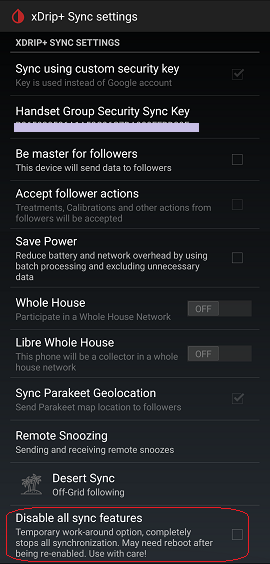
Enable “Be master for followers” only on the master. This same setting must be disabled on all followers.
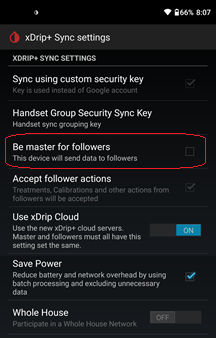
Tap on Handset Group Security Sync Key to reveal the security key. An example is shown below:
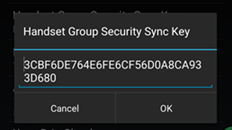
Keep this key private. Ensure the key on the master matches the key on the follower(s) exactly. If they do not match, edit one to match the other.
The Use xDrip Cloud setting should be enabled on both the master and all follower devices.
If you experience disconnects, try disabling this setting on both the master and followers, then report the problem.
